Saturday, 18 April 2020

Distance Learning WEEK 1

Distance Learning WEEK 1 .      15 April 2020

The COVID19 has caused widespread school closures for an unknown duration. Teachers are scrambling to find ways to support students from afar through distance and online learning. If you’re feeling overwhelmed by this daunting task, you’re certainly not alone.Through teaching students and training educators, I’ve learned a lot about how to effectively create and implement digital instruction and self-paced learning.I’ve also struggled to reach students outside of class. For several years, I taught in communities where students struggled to attend school consistently. 
To help absent students access my courses, I developed a blended, self-paced teaching and learning that empowered all my students to learn, whether they were in my room or not. Today, I run The Modern Classrooms Project, where I help other teachers do the same.I use Hangouts for video conferencing, Google docs for notes and activities, and tracing sheets to share their activities link on it.I love combining several tools for a better impact. 
I made a site where I put up a list of tools that I’m using and sent it to my students and their families.I have been really impressed with the class sites of different schools teachers considering how to make them visually appealing to students while keeping them simple and easy to navigate. First and foremost – whatever tools and activities I choose, keep it simple so everyone can get started easily. 
Effective Online Teaching: Obstacles And Practices - eLearning ...

"Teach in ways that ensure all learners are making sufficient progress, monitor the extent and pace of learning, focusing on equity and excellence for all."
Friday, 17 April 2020

Week 6 Digital Fluency Intensive Program (DFI)


Date: 17April2020 AGENDA: Enabling Access, Sites


Kia Ora

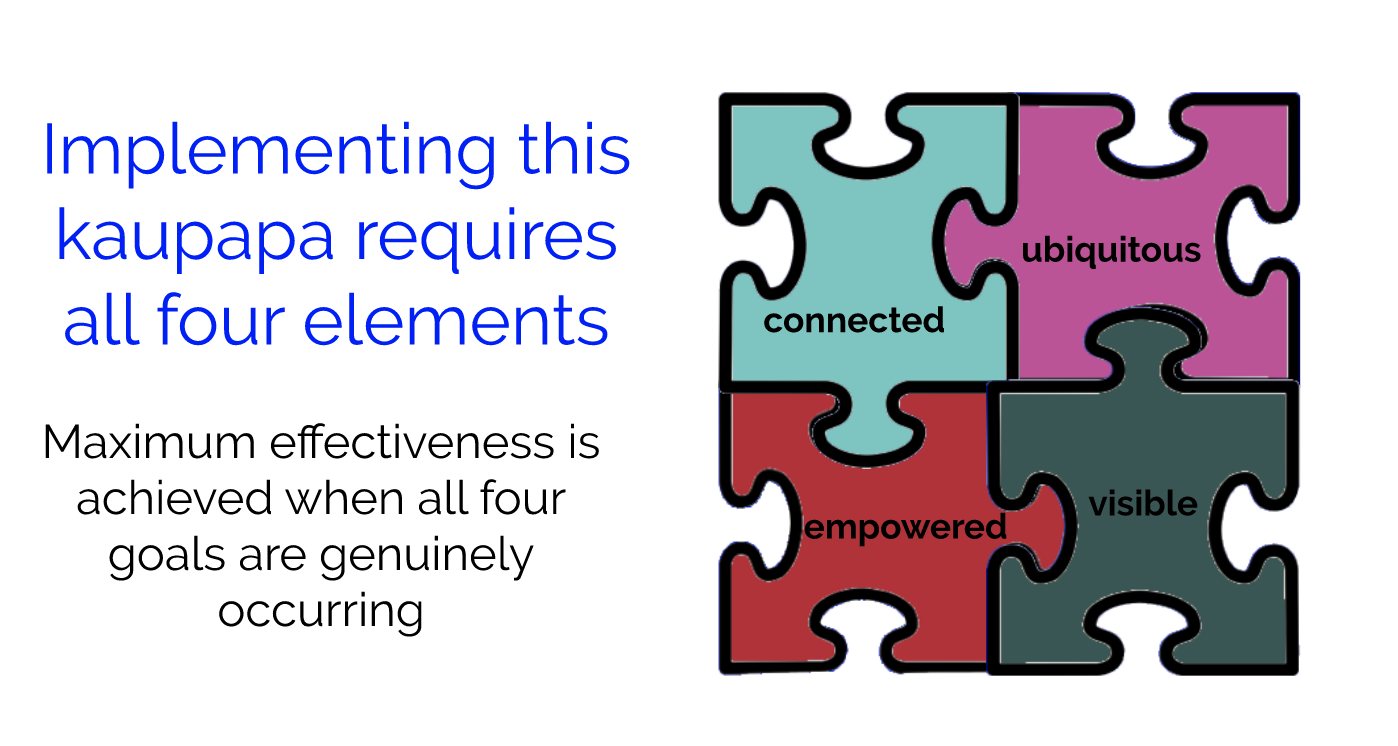
Today we focused on staying 'Connected.' The goal of manaiakalani is how we can connect digitally,
and entitle learners for their learning. Because they know learning is still going online.


Term two is going to start with distance learning this week. Teachers are doing hard to adapt and
change their pedagogical teaching techniques to teach their learners online. I am also trying hard
to find some interesting ideas, approaches, techniques, and methods that can be applied on-line.


Schools are closed, but digital technology  helps us to connect with learners and everyone.
Today, Dorothy started with a fabulous  powerpoint presentation about how hard it is to connect
with someone who doesn't share. Pedagogy and language help us to connect, common language
helps to maintain diversity. She explained the Manaiakalani inclusive model was first developed in 2006 with the first cluster of
schools. In 2015 the model was taken wider into what are now known as outreach clusters and
again in 2017. In this cluster, we mainly focus on Term 1 on create, Term 2 share Term 3 apply and term 4 bring all together.

Sharing is very important. It is two way communication. One way communication is not working
in any case.

Connectivity is a way of life for our students. Take it from them and they will check out.
This was another great session of my professional learning growth. I definitely come away feeling
empowered to improve my quality of my class sites.

I was very excited for this session today because I found out we are going to present our
slides and there is one more opportunity, we are going to present in a regional group.
That was awesome for me. Different teachers who were present in my group belong to
different teaching years. Moreover they have very exciting sliding and I feel so encouraged by
seeing their class sites. I will definitely use their ideas to improve the quality of my class sites.

The DFI program is a true blessing for me. The experience, knowledge and skills I gain from here is invaluable. I was not confident in technology before I joined this course, but till now I have attended six sessions and it's A+W+E+S+O+M+E. Now, I am confident with my website and my teacher dashboard. Through the duration of this Lockdown due to COVID19 this course is good
learning for all of us, who are attending this.

Now in this online teaching time, everyday I am trying to do something new with students learning. My efforts always present my teaching stuff in an interesting way. I am trying hard in this period to make my teaching interesting and adventurous.


Exciting for Next week with new Learning.

Friday, 3 April 2020

Week 5 Digital Fluency Intensive Program (DFI)


    April 3, 2020                        AGENDA: Collaborate Sites


Today's session starts with a bit of different feel as all teachers and facilitators join via Google Hangouts. It is a perfect example of modern technology, as without leaving home, we met up with other people and share our screens and experience digitally.

Technology is not a barrier today, and it is a footstep for us to create something new and adventurous to make life beautiful. Moreover, it is an excellent practice for us when COVID-19 has affects our ability to meet as a group.

Session starts with Connecting with each other. After ‘Karakia’ we connect with a great group of educators via ‘Gratitude Chain.’ It was awesome. I really enjoyed, and learning about the views and thoughts of other educators.

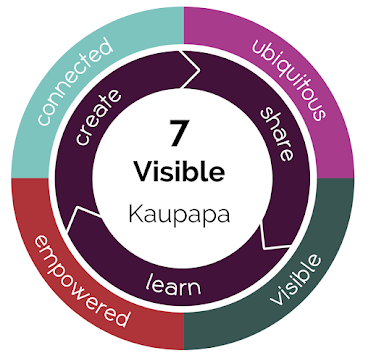
I really like Dorothy's presentation on Pedagogy and Kaupapa (Visibility in Teaching). How visibility is important in teaching and learning.


Hapara Teacher Dashboard specifically designed for Manaiakalani teaching learning program. The purpose of this learning should be visible to your teachers. It is useful for the teachers to know what their students are doing in learning and how they are going.

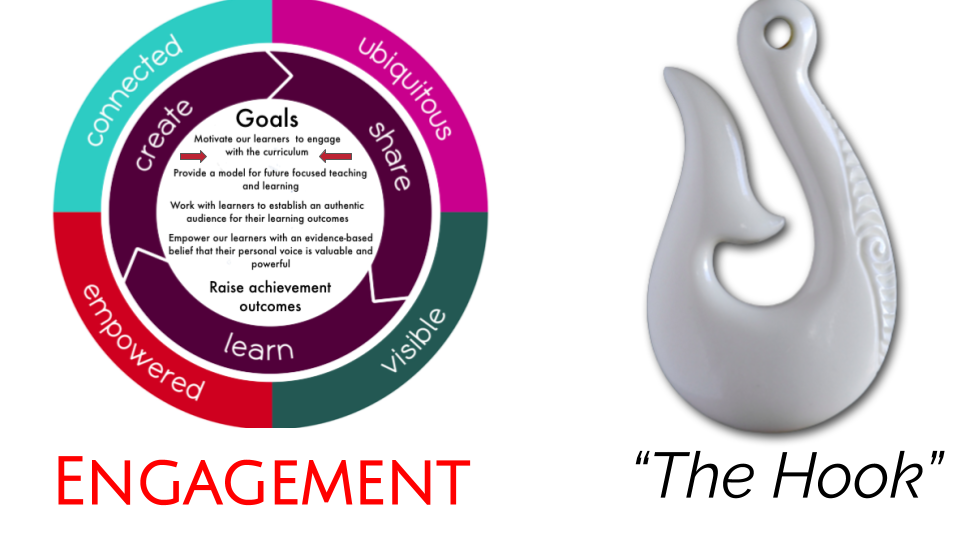
Together, we have developed the  'Learn, Create, Share' pedagogy, designed to accelerate the acquisition of core subjects whilst bringing the joy back into learning and teaching. Manaiakalani-Google Class On Air, is one way we have chosen to share our learning with you.


Next session was Deep Dive -  with Kerry She discussed the word ‘Multi Modal’ - what we mean when we use this term. This is an inclusive, differentiated approach to teaching in a digital learning environment. Accelerating progress and outcomes for our young people for many involves firstly engaging them behaviourally- on task - bring in the right place, at the right time , doing the right thing.


We also examined the terms multi-modal and multi textual as part of T shaped literacy and challenged to consider how we can engage our learners so that they begin to take responsibility for their learning.

By personalising education, we are empowering learners to become confident, responsible and competent.

As term 2 approaches we need to consider how we can utilise google sites, Hapara, Google hangouts and different media to engage our learners, particularly as some of them will not have the same adult support usually available to them during this lockdown.


In an effective classroom, students should not only know what they are doing, they should also know why and how.

― Harry Wong


Friday, 27 March 2020

Week 4 Digital Fluency Intensive Program (DFI)

 March 27, 2020                                     AGENDA: DEALING WITH DATA


Our session today starts with a new journey and an original learning path where we experienced distance learning and group meeting via Google Meet. It was fascinating to communicate with all other teachers online and share our learning experience and activities. 


Next session was on google forms. GO to forms.google.com and create any forms for students, parents and teachers. Then, we talked about  google maps. Customisable collaborative maps are allowing you to track or plan journeys, measure distances and place markers. It has many possible uses in the classroom; the opportunities to use My Maps with learners are plentiful. 


How to Embed a Google Form (The Easy Way) | Kali Forms


Next session was setting up Spreadsheets. I learned how to make sheets and how to use different formulas. And how to freeze rows and columns by clicking on the view on the task bar. We also learned about Biodata(at the end of the sheet). We can use spreadsheets for our results and can quickly sort the students and their grades. This session was a rapid demonstration of some features of sheets that are useful for school.

BLOGGING TIPS AND LABELS
Blogs need labels.  As a teacher, it is evidence of my practice that complies with the criteria of being a registered.  It's a quick way to search for a topic that could be useful to share with peers, students and whanau. 😀


    The important thing is not so much that every child should be taught, as every child should be given the wish to learn.”—JOHN LUBBOCK

Friday, 20 March 2020

Week 3 Digital Fluency Intensive Program (DFI)

       
            March 20, 2020                   AGENDA: MEDIA


The Last session at the Manaiakalani was Overwhelming because of the amount of
information that worked for us since the last we met.
All the teachers discussed their experience, learnings and shared their response in the session. Today's agenda of the program was 'MEDIA.'


Connecting with each other
Connecting with Manaiakalani
Resources shared
Learn
Create
Share


We started with Google hangouts with the teachers who were not in the meeting, due to some emergencies. It was a bit of different feel because it was my first time to connect with other teachers via digital technology. However, this experience was excellent.😄

After that, We learned about how to make our channel on Youtube and customised it. We showed how to make a playlist that will only play what you have selected so that our students cannot confuse and follow the illogical pathway. 

After that, it was a session of Google drawings. In this session, we practised drawing around an image and filling in the image with our chosen colours. We had the pleasure of viewing some work from students of Panmure Bridge school who had really developed this skill and then used it in animation movies that they had made.


I enjoyed Dorothy's presentation on Google slides/Powerpoint for the presentation. She presented very beautifully how to create a slide, make it animated, design and publish it. She emphasises on Design and Publishes of slides by using tools to built into google slides to enable learners' and teachers' to 'CREATE'.

In the end, we practice Google drawings, Google Sites and presentations. When I made my Google presentation on greenhouse effect for year 10, it was terrific. I shared it with my students, and they loved it. It is a considerable achievement and motivation for me.✌

The motive of this Digital program is, during the nine weeks all the participants will be supported to connect with a range of digital tools and apps that are required for effective teaching, planning, assessment and professional learning.

"What we learned with Pleasure, we never forget." -------Alfred Mercier


Friday, 13 March 2020

Week 2 Digital Fluency Intensive Program (DFI)

March 13, 2020  AGENDA: WORKFLOW


Today, was my second day in this program. I was very excited to learn new things in the world of digital technology. The focus of today was around boosting workflow to Recognise, Amplify, and Turbocharge effective practices in the digital world of our leaners'. We have access to google slideshows that explain in detail how these spaces work:
  • Connecting with each other / Reflections
  • Hangouts
  • Manaiakalani Pedagogy: Learn Create and Share
  • Google Keep
  • Gmail
  • Calendar
  • Taming your Tabs
  • Use Google Hangout to connect with Small group
  • Blog Commenting
      I enjoyed a lot. I learned about Google keep, which is very useful to keep our record and act as a  reminder for professional life as well as personal life.😀

Google hangouts were very interesting and very easy to use. It brings the conversation to life with photos, and even group video calls with multiple people in one time. It is fascinating to share our screens at one time and even record video conferencing.                
                                                                
                                                                        
 .          Google Hangouts Meet
Gmail  I learned about within your Gmail account you can delete emails you no longer need and archive important emails that you may need in the future. 


Last week, I tried most of the things which I learned from this program in the classroom. I prepared text in google docs without formatting and add table, images, heading in it. I was not confident when I gave my resource to the students, but when students started, he loved it and enjoyed it. I was delighted and motivated after my class😃

I am not a digital person. Before this Manaiakalani program, I was not confident in the technology, but now I am very fluent in using technology. Now, I feel technology is not a barrier between a teacher and students. Even, it is a pathway through which a teacher can use different resources and exciting ways to teaches students a particular topic.👍


        "I never teach my Pupils. I can only attempt to provide the conditions in which they can Learn."
                -----Albert Einstein✌


"Select teaching approaches, resources, and learning and assessment activities based on a thorough knowledge of curriculum content, pedagogy, progressions in learning and the learners."

" Gather, analyse and use appropriate assessment information, identifying progress and needs of learners to design clear next steps in learning and to identify additional supports or adaptations that may be required."

Friday, 6 March 2020

Week 1 Digital Fluency Intensive Program (DFI)


O6/03/2020  AGENDA: CORE BUSINESS

Hi, my name is Palvi Sharma. I am Science, and Biology teacher at Tamaki College, Auckland.  The college is proud to offer a wide range and variety of study courses and programmes for students Tertiary and Trade based education. The school has fully embraced technology, and it is a true blessing for me to be a part of this organisation.

School connects with Manaiakalani Education, which is suitable for teachers' and learners' harmonious development. Today was my first day at Manaiakalani Digital Fluency Intensive Programme (DFI). 

Manaiakalani is a group or cluster of 13 schools in the Tāmaki Community, Auckland, New Zealand. This is the home of NZ's oldest government housing community and is occupied mostly by NZ Māori and people from the Pacific Island nations. This community has partnered with their schools, the Manaiakalani Education Trust, Google & other providers to seek improved education outcomes.

It was great to hear about the backstory of Manaiakalani. It is excellent, sturdy and liberating. I am inspired by the usage of technology in the education sector. I am very impressed by the ways we can use technology and digital presentation for students in the classroom. Today, I also learned how we could connect technology in different ways with the learners.


Today, I created my docs in google drive and also make links for them. I also learned about blogs, how to create professional blog and classroom blog. It is my first blog which I learned and prepared during my session.

I am enjoying this course. Before this course, I didn't know how beautiful and exciting it is technology. I will use this technology in my classroom. My students will love it. I am very excited to use these different techniques in my class.

I hope I will learn a lot each week and help other educators in my school.

Thank you.


Mental Health Awareness Week(27 Sep-3 Oct)

  Mental Health Awareness Week (MHAW) runs from 27 September to 3 October and this year’s theme is Take time to kōrero/mā te kōrero, ka ora....